Difference Between Email vs WhatsApp Alerts for Google Reviews
Last Update: 33 weeks ago
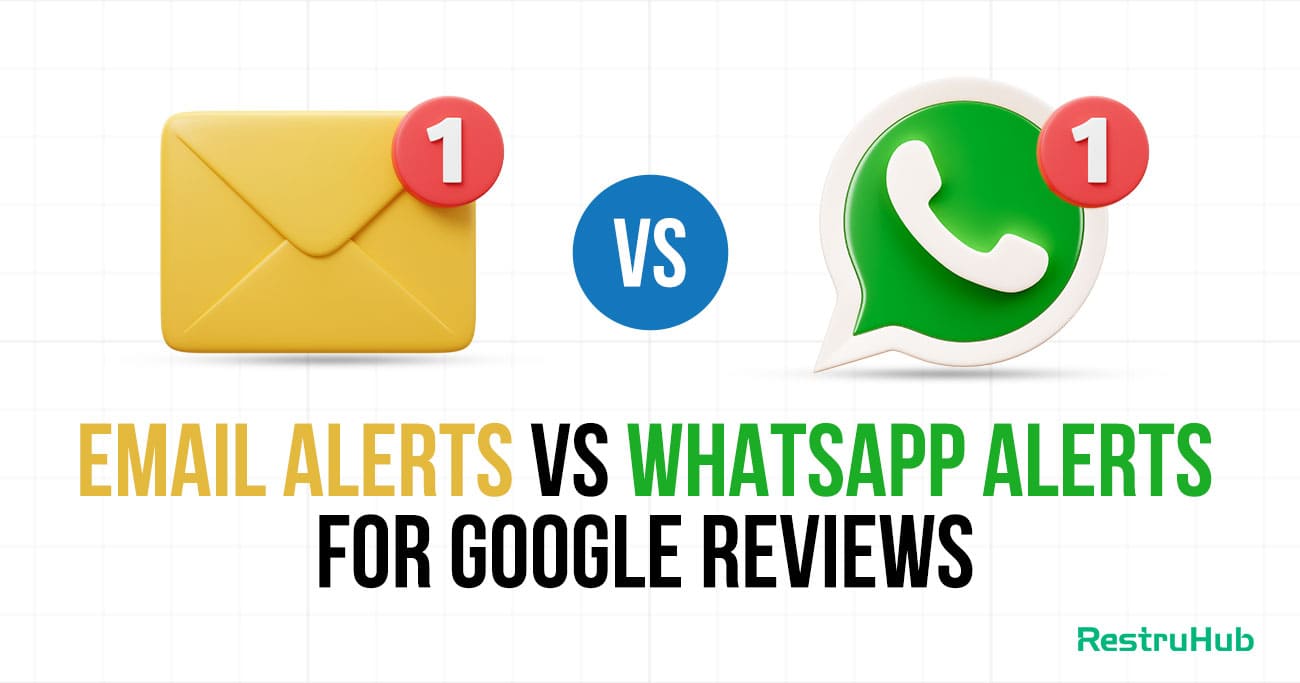
Online reviews can impact a business within minutes, especially when negative feedback goes unanswered. That’s why getting instant alerts for new Google reviews is so important. Many businesses rely on traditional email notifications, while others are shifting to WhatsApp alerts for faster visibility and response.
Both methods notify you when a customer leaves feedback, but they differ in speed, accessibility, engagement, and efficiency. Choosing the right alert system can directly affect how quickly you respond, protect your online reputation, and maintain customer trust. In this article, we’ll break down the difference between email and WhatsApp alerts for Google reviews to help you decide which option works best for your business.
What Are Google Review Email Alerts?
Google Review email alerts are automatic notifications sent to your registered email address whenever someone leaves a new review on your Google Business Profile. These alerts help business owners stay informed about customer feedback without having to manually check their profiles. Typically, the email includes the reviewer’s name, star rating, written comment, and a direct link to respond.
Email alerts are easy to set up and come free with your Google Business account. They provide a documented record of feedback that can be stored, forwarded, or shared with team members. However, since emails can get buried in crowded inboxes or filtered into spam folders, there may sometimes be delays in seeing and responding to new reviews.
What Are WhatsApp Alerts for Google Reviews?
WhatsApp alerts for Google reviews are instant notifications sent directly to your WhatsApp number whenever a new review is posted on your Google Business Profile. Instead of checking emails, you receive a real-time message on your phone with key details like the reviewer’s name, star rating, comment, and sometimes even a quick reply link.
Because WhatsApp messages trigger immediate push notifications, businesses can see and respond to feedback much faster. These alerts are usually enabled through third-party reputation management tools that integrate Google reviews with WhatsApp. This system is especially useful for restaurant owners and small business operators who are constantly on the move and need fast, convenient access to customer feedback.
Key Differences Between Email and WhatsApp Alerts
Choosing the right notification system for Google reviews is not just about preference. It directly affects how quickly you respond, how efficiently your team operates, and how well you protect your brand reputation in competitive markets.
1. Speed of Notification Delivery
When a customer posts a review, timing matters. WhatsApp alerts are typically delivered as instant push notifications, appearing directly on your phone screen. This makes them highly visible and difficult to overlook, especially during busy hours.
Email alerts, while usually sent immediately, depend on how often you check your inbox. If you are occupied with daily operations or meetings, the notification might sit unread. Even short delays can slow down response efforts, particularly when dealing with negative feedback that requires urgent attention.
2. Response Time Efficiency
Email notifications often require multiple steps before action is taken. You open the inbox, locate the email, read the content, click the link, log into your Google Business Profile, and then draft a response. Each step adds friction.
In contrast, WhatsApp alerts are often paired with quick-access links or integrated tools that shorten the process. Since messaging apps are frequently checked throughout the day, business owners can act almost immediately. Faster visibility naturally leads to faster responses, which improves customer perception and trust.
3. Accessibility and Convenience
For businesses that operate primarily from desktops or office setups, email alerts can integrate smoothly into daily workflows. Shared inboxes allow managers to monitor reviews alongside other business communications.
However, many entrepreneurs, especially restaurant and retail owners, are rarely sitting at a desk. WhatsApp alerts provide flexibility because they are mobile-based. Whether you are on the shop floor, supervising staff, or traveling, you can instantly view customer feedback without logging into multiple systems. This convenience makes real-time reputation management more practical.
4. Open Rates and Engagement Levels
One major difference lies in how likely you are to actually see the notification. Email inboxes are often cluttered with promotional messages, internal communication, and automated reports. Important alerts can easily blend in with routine emails.
Messaging apps generally experience higher engagement levels. Notifications appear directly on the device screen and are treated more like personal communication. This increases the probability of immediate viewing. Higher open rates translate into quicker acknowledgment and faster engagement with customer concerns or appreciation.
5. Risk of Missing Negative Reviews
Unanswered negative reviews can damage trust and influence potential customers. Email alerts carry a certain risk because messages can land in spam folders, promotional tabs, or get buried under high email volume.
WhatsApp notifications reduce this risk by delivering direct, real-time alerts that stand out. Because they resemble personal messages, they tend to receive priority attention. This lowers the chance of critical feedback going unnoticed and allows businesses to address issues before they escalate publicly.
6. Automation and Smart Reply Capabilities
Email platforms support some level of automation, such as filters or auto-categorization rules. However, generating and publishing responses usually remains a manual process.
Many WhatsApp-based systems integrate with AI-driven tools that analyze review sentiment instantly. These tools can draft suggested replies based on whether the review is positive, neutral, or negative. This not only saves time but also ensures consistency in tone and professionalism. Smart automation enhances efficiency without sacrificing quality.
7. Team Collaboration and Forwarding
Email has long been the standard for structured team communication. It allows forwarding, CC options, and organized folders. Larger businesses may prefer this format because it aligns with formal reporting systems.
WhatsApp supports collaboration in a more dynamic way. Alerts can be shared in team groups or connected to centralized dashboards. Discussions can happen instantly, leading to faster decisions. While it may feel less formal, it often proves more efficient in fast-paced environments where quick action is essential.
8. Cost Considerations
From a cost perspective, email alerts are typically free and included with your Google Business Profile. There are no additional integration requirements beyond managing your inbox.
WhatsApp alerts often require third-party tools or API integrations, which may involve subscription fees. However, many businesses consider this cost an investment. Faster response times, higher visibility, and reduced risk of missed negative reviews can directly contribute to stronger ratings and increased customer trust.
Pros and Cons of WhatsApp Alerts
WhatsApp alerts for Google reviews are becoming increasingly popular because of their speed and convenience. However, like any notification system, they come with both advantages and limitations.
Pros
- Instant Real-Time NotificationsAlerts appear immediately as push notifications on your phone, allowing you to see new reviews the moment they are posted.
- Higher Visibility and Open RatesWhatsApp messages are more likely to be opened quickly compared to emails, reducing the chances of missing important feedback.
- Faster Response TimeSince most business owners check WhatsApp frequently, responding to reviews becomes quicker and more efficient.
- Mobile-Friendly AccessPerfect for business owners who are constantly on the move and do not sit at a desk all day.
- Reduced Risk of Missing Negative ReviewsPush notifications help ensure critical reviews are noticed and handled promptly.
- Integration with AI and Automation ToolsSome systems provide sentiment analysis and suggested replies directly through WhatsApp alerts.
Cons
- Requires Third-Party IntegrationWhatsApp alerts usually need external tools or API access, which may involve technical setup.
- Potential Subscription CostsUnlike email alerts, WhatsApp-based systems often come with monthly fees.
- Notification OverloadHigh review volume can lead to frequent messages, which may feel overwhelming.
- Less Formal Communication StructureCompared to email, WhatsApp may feel less structured for larger teams.
- Dependence on Mobile Device AvailabilityIf your phone is off, muted, or not accessible, alerts may still be delayed.
Overall, WhatsApp alerts offer speed and visibility, but businesses should consider setup requirements and workflow compatibility before choosing this method.
Pros and Cons of Email Alerts
Email alerts remain the default notification method for Google reviews. They are simple, reliable, and familiar to most businesses. However, they also have certain limitations that can affect response speed and visibility.
Pros
- Free and Easy to Set UpEmail alerts are automatically available with your Google Business Profile, requiring no additional tools or subscriptions.
- Organized DocumentationReviews are stored in your inbox, making it easy to search, archive, or track past feedback.
- Professional and Structured FormatEmail supports formal communication, forwarding, and CC options for team collaboration.
- Better for Shared Team AccessMultiple team members can monitor a shared inbox, improving coordination in larger organizations.
- Reliable Record KeepingEmails create a clear, timestamped history of notifications for future reference.
Cons
- Slower VisibilityIf you do not check your inbox frequently, review alerts may go unnoticed for hours.
- Inbox OverloadPromotional emails and other communications can bury important review notifications.
- Risk of Spam FilteringSome alerts may land in spam or promotional folders, increasing the chance of missing them.
- Multiple Steps to RespondYou must open the email, click through to your profile, and manually draft a reply.
- Lower Engagement Compared to Messaging AppsEmails are often treated as lower priority compared to instant messaging notifications.
Email alerts are dependable and cost-effective, but they may not offer the speed and immediacy that fast-moving businesses require for active reputation management.
Which Alert System Is Better for Restaurants and Small Businesses?
For restaurants and small businesses, speed and visibility are usually the top priorities. These businesses operate in fast-paced environments where owners and managers are constantly handling customers, staff, and daily operations. In such cases, WhatsApp alerts often provide a practical advantage because they deliver instant push notifications directly to a mobile device. This makes it easier to see and respond to reviews quickly, especially negative ones that require immediate attention.
However, email alerts still have value. They are free, structured, and useful for record-keeping or team collaboration through shared inboxes. Businesses with a more office-based workflow may find email sufficient.
Ultimately, the better option depends on how your business operates. If quick responses and mobility matter most, WhatsApp alerts are typically more effective. If structured communication and documentation are priorities, email alerts can still work well.
When Should You Use Both Email and WhatsApp Alerts?
Using both email and WhatsApp alerts can be the smartest strategy for businesses that want maximum reliability and speed. A dual-notification system ensures you never miss a review, especially critical negative feedback that needs immediate attention.
WhatsApp alerts handle real-time visibility. They help you see and respond to reviews quickly, even when you are away from your desk. This is ideal for urgent situations where fast action protects your reputation.
Email alerts, on the other hand, provide structured documentation. They create a searchable record of reviews that can be archived, forwarded to team members, or reviewed later for performance analysis.
Businesses with multiple managers, high review volume, or strong customer service goals benefit most from using both systems. WhatsApp ensures speed, while email ensures organization. Together, they create a more reliable and professional review management process.
How RestruHub Enhances Google Review Alerts with Smart Automation
RestruHub takes Google review alerts beyond simple notifications by combining real-time delivery with intelligent automation. Instead of just informing you about a new review, the system analyzes the sentiment instantly and prioritizes negative feedback so you can act quickly.
With WhatsApp-based instant alerts and structured email notifications, RestruHub ensures you never miss important customer feedback. It also generates AI-powered reply suggestions tailored to the tone of the review, helping you respond faster while maintaining professionalism.
The centralized dashboard keeps all reviews organized in one place, making it easy for teams to collaborate and track responses. By reducing manual effort and response delays, RestruHub helps restaurants and small businesses protect their reputation, improve ratings, and build stronger customer trust.
Frequently Asked Questions
Are Google review email alerts free?
Yes, Google review email alerts are completely free. Once you create and verify your Google Business Profile, you automatically receive email notifications whenever a new review is posted. There are no additional setup fees or subscription costs. However, while email alerts are free, they may not always provide the speed and visibility that some businesses require for immediate response.
Do WhatsApp alerts require special setup?
Yes, WhatsApp alerts typically require integration through a third-party reputation management tool. Since Google does not natively send reviews directly to WhatsApp, businesses must connect their Google Business Profile with an automation platform. This setup may involve API access or subscription plans depending on the service provider.
Which alert type helps respond to reviews faster?
In most cases, WhatsApp alerts enable faster responses because they appear as instant push notifications on your phone. Emails can sometimes be delayed or overlooked in crowded inboxes, which may slow down response time.
Can I use both email and WhatsApp alerts together?
Absolutely. Many businesses use both systems to ensure maximum reliability. WhatsApp provides speed, while email offers organized documentation and team collaboration.
Are WhatsApp alerts suitable for small businesses?
Yes, especially for restaurants and service-based businesses that need real-time visibility. They help owners quickly address customer feedback without constantly checking their inbox.
Want to Grow Your Reviews?
Learn how Restuhub helps 500+ businesses automate their Google reviews.
Free Consultation