Real-Time Google Review Monitoring for Restaurants: Alerts, Setup, And More
Last Update: 33 weeks ago
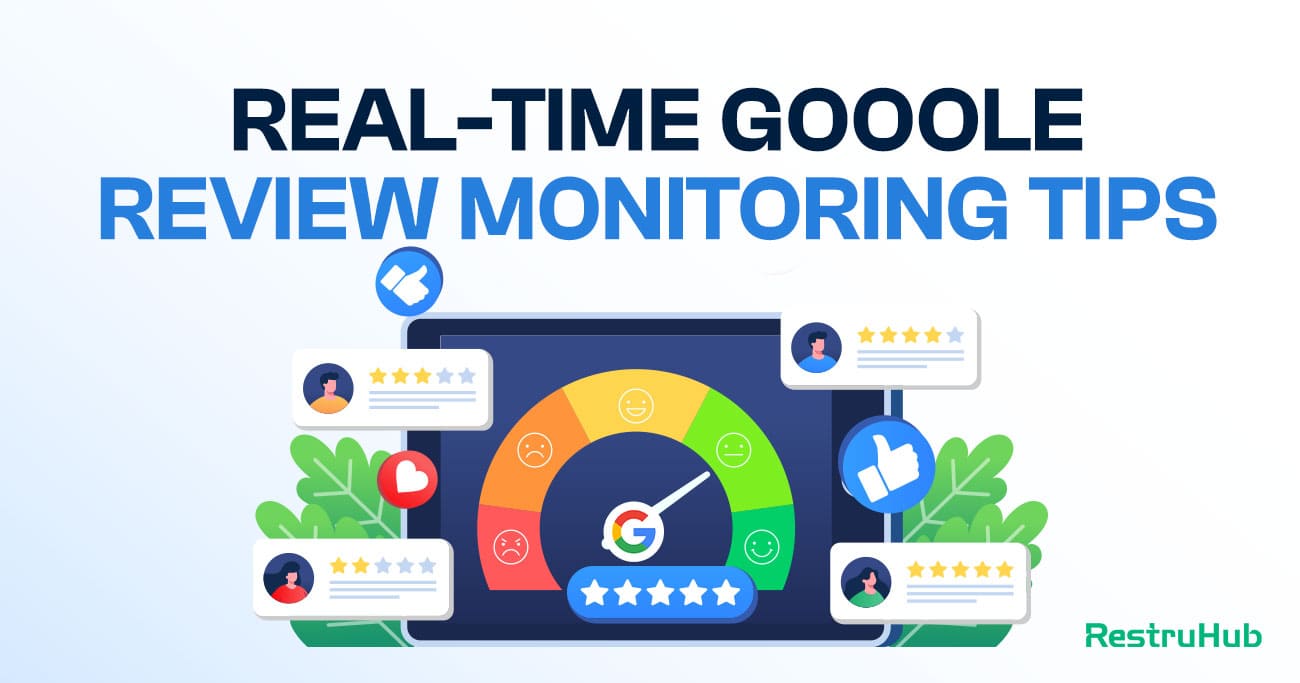
Online reviews can shape a restaurant’s reputation in just a few minutes. One negative comment about food, service, or waiting time can influence many future customers. That is why real-time Google review monitoring is so important for restaurants today.
Instead of checking your Google Business Profile again and again, you can receive alerts as soon as a new review is posted. This helps you respond quickly, solve problems early, and show customers that you truly care about their experience. In this guide, you will learn how real-time review monitoring works, how to set up alerts, and how restaurants can use it to protect ratings and grow steadily.
What Is Real-Time Google Review Monitoring?
Real-time Google review monitoring is the process of tracking new customer reviews as soon as they appear on your Google Business Profile. Instead of manually checking your listing several times a day, you receive instant notifications when someone leaves feedback. Alerts can be sent through email, WhatsApp, or a review management platform. Restaurant owners and managers can see what customers are saying about food, service, pricing, and atmosphere right away. Quick access to new reviews allows faster responses, especially to negative comments. Real-time monitoring helps restaurants stay proactive, protect their ratings, and show customers that feedback is valued and taken seriously.
Why Real-Time Review Monitoring Is Critical for Restaurants
Online reviews influence customer decisions every day. For restaurants, timing matters even more. Acting quickly on feedback can protect your reputation, maintain ratings, and prevent small issues from turning into bigger problems.
Faster Response Protects Your Reputation
Restaurants operate in a fast-moving environment where customers make decisions within minutes. When a negative review remains unanswered for hours or days, it creates doubt and hesitation for potential diners.
Receiving instant alerts allows managers to respond quickly and professionally. A prompt reply shows responsibility and care. Even if the experience was not perfect, a thoughtful response can rebuild trust and reduce long-term damage to your brand image.
Prevents Small Issues From Becoming Bigger Problems
Many negative reviews are based on simple operational issues such as slow service, order mistakes, or staff behavior. Without immediate visibility, the same problem may continue affecting other guests.
Instant access to feedback helps management detect patterns early. If several customers mention similar concerns, corrective action can be taken the same day. Quick adjustments improve both customer satisfaction and internal efficiency.
Builds Customer Trust and Transparency
Customers understand that mistakes can happen. What truly matters is how a restaurant handles them. Active engagement with reviews signals accountability and professionalism.
Responding promptly makes guests feel heard and valued. A quick thank-you to positive reviews also strengthens loyalty. Consistent engagement creates a public image of a restaurant that listens and cares.
Supports Higher Star Ratings Over Time
Google star ratings directly influence visibility and customer choice. A slow or missing response to negative feedback can discourage new visitors.
When issues are addressed quickly, customers often appreciate the effort. Some may even update their review after seeing management take responsibility. Over time, consistent engagement contributes to stronger ratings and better local search performance.
Keeps Multi-Location Restaurants Organized
Managing reviews becomes more complex when multiple branches are involved. Manually checking each location can lead to missed feedback and inconsistent responses.
Centralized alerts and monitoring tools provide clear visibility across all locations. Teams can collaborate, assign responsibilities, and maintain consistent communication standards. Strong oversight ensures every branch protects the overall brand reputation.
The Cost of Delayed Review Responses
Customers move fast when choosing where to eat. A single unanswered review can influence dozens of decisions. Delayed responses may seem small, but they can quietly damage reputation, revenue, and long-term customer trust.
Lost Customer Trust
When a negative review sits unanswered, potential customers notice. Silence often looks like indifference. People may assume the restaurant does not care about feedback or customer satisfaction.
Quick engagement shows responsibility. On the other hand, delayed replies can create doubt about service quality and management involvement. Trust is difficult to build and easy to lose. Responding late reduces the opportunity to reassure future diners and protect your brand image.
Lower Conversion From Google Searches
Many customers check reviews before making reservations or visiting. They look at star ratings, recent comments, and how management responds. A pattern of unanswered complaints can reduce confidence.
If potential guests see unresolved issues, they may choose a competitor instead. Even one ignored review can influence their decision. Over time, slow response habits can reduce clicks, calls, and walk-in traffic directly from Google.
Escalation of Negative Sentiment
An unhappy customer wants acknowledgment. When feedback is ignored, frustration can grow. Some customers may leave additional negative comments or share their experience on social media.
Fast engagement helps calm emotions. A polite and professional reply often reduces tension and shows accountability. Delayed responses increase the risk of public escalation and further damage to your restaurant’s online presence.
Missed Opportunity to Fix Operational Issues
Customer reviews provide real-time insight into daily operations. Comments about slow service, food temperature, or staff behavior highlight areas that need attention.
When feedback is reviewed days later, the issue may continue affecting other guests. Quick visibility allows immediate corrective action. Acting fast improves service quality and prevents repeated complaints.
Long-Term Impact on Ratings and Revenue
Star ratings influence visibility and customer decisions. Unanswered negative reviews can discourage potential diners and slowly reduce overall ratings.
Prompt responses increase the chance of rebuilding customer confidence. Some guests may even update their rating after receiving a thoughtful reply. Consistent engagement protects reputation and supports steady revenue growth over time.
How Real-Time Google Review Alerts Work
Restaurants cannot afford to manually check reviews all day. Real-time Google review alerts solve this problem by notifying you instantly when new feedback is posted. Behind the scenes, a monitoring system continuously tracks your Google Business Profile and delivers updates the moment activity happens.
Continuous Monitoring of Your Google Business Profile
The process begins by securely connecting your Google Business Profile to a review monitoring platform. Once connected, the system automatically tracks new reviews, rating changes, and customer activity without manual effort.
Instead of refreshing your listing multiple times a day, the platform checks for updates in the background. When a customer posts a review, the system detects it almost immediately. This ensures that no feedback goes unnoticed, even during busy restaurant hours.
Instant Notifications Through Multiple Channels
As soon as a new review appears, an alert is triggered. Notifications can be sent through email, WhatsApp, or inside a centralized dashboard. Multi-channel alerts ensure that the right person sees the review quickly.
For example, a restaurant manager might receive an email notification, while the operations team views updates inside the platform dashboard. Fast delivery of alerts reduces response time and keeps the team informed in real time.
Sentiment Detection and Severity Identification
Advanced monitoring systems go beyond simple notifications. They analyze the content of the review to detect sentiment and urgency. Words related to poor service, food quality, or long waiting times are flagged automatically.
Negative reviews can be marked with higher priority levels. This helps restaurants focus first on critical feedback instead of treating all reviews the same. Severity indicators guide teams to respond strategically rather than randomly.
Centralized Dashboard for Full Visibility
All incoming reviews are organized in one place. A dashboard displays new reviews, replied reviews, average ratings, and pending responses. Managers can filter by star rating, location, or response status.
For restaurants with multiple branches, centralized visibility is essential. Owners can monitor performance across locations without logging into separate accounts. Clear organization prevents missed reviews and improves accountability.
Smart Response Tools and Automation
Once the alert is received, the next step is responding. Many platforms provide AI-assisted reply suggestions that match your brand tone. Restaurants can choose friendly, warm, or professional styles before publishing a response.
Automation rules can also be set for specific star ratings. For example, positive reviews may receive a quick thank-you automatically, while negative ones are flagged for manual review. Combining instant alerts with smart response tools creates a complete real-time review management system.
Types of Google Review Notifications
Restaurants can receive Google review alerts in different ways depending on how they manage their operations. Choosing the right notification type helps teams respond faster, stay organized, and avoid missing important feedback during busy hours.
Email Notifications
Email is one of the most common ways to receive review alerts. When a customer leaves a new review, a notification is sent directly to your inbox. Managers can read the feedback, check the rating, and decide how to respond.
Email alerts are simple and reliable. They work well for single-location restaurants or small teams. However, inbox overload can become a problem. Important reviews may get buried under other messages, especially during peak business hours.
WhatsApp Notifications
WhatsApp alerts provide faster visibility compared to email. Since most managers check their phones frequently, notifications appear instantly and are hard to ignore. This makes WhatsApp ideal for urgent negative reviews.
For restaurants that need quick action, mobile alerts improve response time significantly. A branch manager can see a complaint within minutes and take action immediately. Instant messaging creates a sense of urgency that email sometimes lacks.
Dashboard Notifications
A centralized dashboard shows all reviews in one organized space. Instead of scattered messages, teams can log in and view new, pending, and replied reviews clearly.
Dashboard notifications are especially useful for multi-location restaurants. Filters allow users to sort by rating, date, or branch. Team members can also track who responded and which reviews still need attention. This improves accountability and avoids confusion.
Multi-Channel Alerts
Many restaurants combine email, WhatsApp, and dashboard notifications. Multi-channel alerts ensure no review is missed. If someone overlooks an email, they may still receive a mobile alert or see the update inside the platform.
Using multiple channels adds a layer of security to your monitoring system. Critical negative reviews reach the right person faster. This approach works well for larger teams where responsibilities are shared.
Priority and Sentiment-Based Notifications
Advanced systems go beyond simple alerts. They analyze the review content and assign priority levels based on sentiment. A five-star review may trigger a standard notification, while a one-star complaint generates a high-priority alert.
This smart filtering helps teams focus on urgent issues first. Instead of treating all reviews equally, restaurants can respond strategically. Priority-based notifications save time and ensure serious concerns receive immediate attention.
How to Set Up Google Review Alerts for Your Restaurant
Setting up Google review alerts does not have to be complicated. With the right process, restaurants can start receiving instant notifications and respond faster to customer feedback without constantly checking their Google listing.
Connect Your Google Business Profile
The first step is connecting your Google Business Profile to a review monitoring system. This allows the platform to access and track incoming reviews automatically. Make sure you are logged in with the correct business account that manages your restaurant listing.
After connection, the system begins monitoring new reviews in the background. No manual refreshing is needed. Every new rating or comment will be detected as soon as it appears on your profile.
Choose Your Notification Channels
Next, decide how you want to receive alerts. Most restaurants choose email notifications, WhatsApp alerts, or a centralized dashboard. Some prefer using more than one channel for better coverage.
Email works well for detailed review tracking, while WhatsApp provides faster mobile visibility. A dashboard gives a full overview of pending and replied reviews. Selecting the right mix ensures your team never misses important feedback.
Set Up Alert Rules and Preferences
Once notification channels are selected, configure alert rules. You can choose to receive alerts for all reviews or only for specific star ratings. Many restaurants prioritize one-star and two-star reviews to respond quickly to complaints.
Advanced systems allow you to set severity levels based on keywords. For example, reviews mentioning food quality or service issues can trigger high-priority alerts. Clear alert rules help teams focus on what matters most.
Assign Responsibilities to Team Members
Alerts are only useful if someone takes action. Decide who will handle incoming reviews. This could be the restaurant owner, branch manager, or marketing team.
For multi-location restaurants, assigning roles ensures accountability. Each branch can manage its own reviews while headquarters maintains overall visibility. Clear responsibility reduces delays and confusion.
Test and Monitor Your Alert System
After setup, test the system to ensure notifications are working correctly. Leave a test review or monitor the next real customer feedback to confirm alerts are delivered properly.
Regularly review your alert settings and adjust if needed. As your restaurant grows, you may need multi-channel alerts or additional team access. Continuous monitoring ensures your system remains effective and supports faster, smarter responses.
How to Prioritize Negative Reviews Using Sentiment and Severity
Not all negative reviews require the same level of attention. Some are minor complaints, while others can seriously impact your restaurant’s reputation. Prioritizing reviews using sentiment and severity helps your team respond strategically instead of reacting randomly.
Understand the Difference Between Star Rating and Sentiment
Star ratings alone do not always tell the full story. A three-star review may contain serious operational concerns, while a one-star review could be short and vague.
Sentiment analysis focuses on the actual words used in the review. Comments mentioning food safety, rude staff, or billing issues usually signal higher urgency. Reading beyond the star rating gives clearer insight into the real impact of the feedback.
Identify High-Severity Keywords and Issues
Certain topics require immediate action. Reviews that mention hygiene problems, incorrect charges, discrimination, or health concerns should be treated as high priority.
By identifying recurring keywords such as “raw food,” “overcharged,” or “unprofessional behavior,” restaurants can quickly detect serious risks. Flagging these terms helps management address sensitive issues before they escalate further.
Categorize Complaints by Operational Area
Organizing negative reviews into categories makes prioritization easier. Common categories include food quality, service speed, staff behavior, pricing, and cleanliness.
Grouping reviews this way helps managers spot patterns. If multiple customers complain about slow service during lunch hours, it signals a staffing or process issue. Clear categorization turns feedback into actionable improvement steps.
Use Severity Levels to Guide Response Speed
Assigning severity levels creates structure. For example, high-severity reviews may require a response within one hour, while moderate complaints can be addressed within the same day.
This structured approach prevents delays and confusion. Teams know which reviews demand immediate attention and which can wait briefly. Clear response timelines improve efficiency and protect reputation.
Combine Sentiment Insights With Team Accountability
Prioritization works best when responsibilities are clearly assigned. A branch manager might handle operational complaints, while the owner reviews high-risk issues.
Using a centralized dashboard with sentiment indicators makes tracking easier. Team members can see which reviews are marked urgent and which are pending response. Combining smart analysis with accountability ensures serious concerns are handled quickly and professionally.
Managing Google Reviews Across Multiple Locations in Real Time
Handling reviews for one restaurant is manageable. Handling reviews for five, ten, or twenty locations is a different challenge. Without a structured system, feedback can be missed, responses may be inconsistent, and brand reputation can suffer across branches.
Centralize All Locations in One Dashboard
Managing multiple Google Business Profiles separately takes time and increases the risk of oversight. Logging into each account manually is inefficient, especially during busy hours.
A centralized dashboard allows you to monitor all locations in one place. Owners and managers can view new reviews, ratings, and response status across every branch. Clear visibility ensures no location is ignored and performance differences are easy to spot.
Maintain Consistent Brand Voice Across Branches
Different managers responding independently can create inconsistent communication styles. One branch may respond professionally, while another sounds casual or defensive. Inconsistency can weaken your overall brand image.
Creating response guidelines helps maintain a unified tone. Some platforms also offer tone options or templates to standardize replies. Consistency builds trust and strengthens brand identity across all locations.
Assign Branch-Level Responsibilities
Each location should have a designated person responsible for monitoring and responding to reviews. Clear accountability reduces delays and confusion.
At the same time, headquarters or senior management should retain oversight. This layered approach allows local managers to handle daily feedback while leadership monitors trends and serious issues. Shared access with defined roles improves coordination.
Detect Location-Specific Patterns Quickly
Real-time monitoring across branches helps identify patterns. If one location receives repeated complaints about slow service, management can investigate staffing or workflow problems immediately.
Comparing ratings and feedback between branches highlights performance gaps. Stronger locations can share best practices with underperforming ones. Quick insights support operational improvements and protect brand standards.
Use Alerts to Prevent Escalation at Any Branch
Negative reviews at one branch can impact the entire brand. Fast alerts ensure that serious complaints are addressed before they spread or influence other customers.
Multi-location alert systems notify the right manager based on the branch involved. High-severity reviews can also be escalated to senior leadership automatically. Structured alerts reduce response time and prevent small issues from damaging the broader reputation.
How Team-Based Monitoring Improves Response Speed
Responding quickly to reviews becomes easier when responsibility is shared. A team-based monitoring system ensures feedback does not depend on one person. Clear roles and collaboration improve speed, accuracy, and accountability across the restaurant.
Assign Clear Roles and Responsibilities
When everyone assumes someone else will reply, delays happen. Defining who handles reviews removes confusion. A branch manager may respond to daily feedback, while senior management reviews sensitive complaints.
Clear ownership speeds up action. Each team member knows their task and timeline. Structured responsibility reduces missed reviews and prevents important feedback from sitting unanswered for hours.
Improve Collaboration Between Departments
Some reviews require input from more than one person. A complaint about food quality may involve the kitchen team, while service issues may need discussion with floor staff.
Team-based monitoring allows internal coordination before publishing a response. Managers can review the issue, confirm facts, and respond confidently. Collaboration ensures accurate and professional replies without unnecessary delays.
Track Performance and Accountability
A shared dashboard shows which reviews are pending and who has responded. This visibility encourages faster action and stronger accountability.
When teams can see response status clearly, follow-ups become easier. Management can also monitor average response time and identify areas for improvement. Measurable tracking supports consistent performance across the organization.
Scale Review Management as You Grow
As restaurants expand to multiple locations, handling reviews alone becomes unrealistic. A team-based approach distributes workload efficiently.
New branches can be added with assigned managers and access controls. Structured collaboration keeps response speed consistent, even as review volume increases. Growth becomes manageable without sacrificing customer engagement quality.
Automating Google Review Responses Without Losing Personalization
As review volume grows, responding to every customer manually becomes difficult. Automation helps restaurants reply faster and stay consistent. However, speed should never replace sincerity. The goal is to combine efficiency with authenticity so customers still feel heard and valued.
Use Automation to Save Time, Not Replace Empathy
AI-powered tools can generate response suggestions within seconds. These drafts are based on the review’s rating, keywords, and overall sentiment. Instead of starting from scratch, managers can review and refine a ready-made response.
Human oversight remains essential. A manager can adjust tone, add context, or clarify details before publishing. This balance keeps replies professional and empathetic. Automation reduces workload, while human input ensures the message feels genuine and thoughtful.
Match Responses to Your Restaurant’s Brand Voice
Consistency in communication strengthens brand identity. Some restaurants prefer a formal and polished tone, while others use a friendly and conversational style. Automated systems often allow tone selection to match your preferred voice.
Maintaining a consistent tone across all branches builds trust. Customers notice when responses sound robotic or disconnected. Clear brand guidelines combined with smart automation help preserve personality while improving response speed.
Automate Positive Reviews Strategically
Many restaurants receive a large number of short five-star reviews. These often include simple comments such as “Great food” or “Loved it.” Automating responses to these types of reviews saves time without reducing quality.
A well-crafted thank-you message can still feel warm and appreciative. Some systems allow slight variations in wording to avoid repetition. Quick appreciation encourages loyalty and shows customers their feedback matters.
Handle Negative Reviews With Extra Care
Negative reviews require deeper attention. While automation can suggest a structured response, sensitive complaints should always be reviewed manually. Issues related to service quality, staff behavior, billing errors, or food safety need careful handling.
Personalized replies that acknowledge specific concerns demonstrate responsibility. Inviting the customer to continue the conversation privately can help resolve issues effectively. Careful handling of negative feedback protects reputation and shows accountability.
Continuously Monitor and Improve Response Quality
Automation settings should not remain static. Managers should regularly review published responses to ensure they align with brand standards. Monitoring average response time and customer reactions provides valuable insight.
As the restaurant grows, templates and tone preferences may need adjustment. Continuous improvement keeps automated replies fresh and relevant. When used correctly, automation increases efficiency while maintaining the human connection that drives customer loyalty.
Manual Monitoring vs Automated Review Monitoring Systems
Restaurants must decide how they want to track and respond to Google reviews. Some rely on manual checking, while others use automated monitoring systems. Both approaches can work, but the difference in speed, accuracy, and scalability is significant.
How Manual Review Monitoring Works
Manual monitoring means logging into your Google Business Profile regularly to check for new reviews. A manager or owner refreshes the page, reads feedback, and responds when time allows.
This method may work for small restaurants with low review volume. However, it depends heavily on human consistency. Busy shifts, holidays, or staff shortages can easily delay responses. Reviews may sit unnoticed for hours or even days, especially during peak periods.
Manual monitoring also makes it harder to track performance trends. Identifying repeated complaints requires reading and remembering multiple reviews over time. Without structured organization, insights can be missed.
How Automated Monitoring Systems Work
Automated systems connect directly to your Google Business Profile and track activity continuously. When a new review appears, the system sends instant alerts through email, messaging apps, or a centralized dashboard.
Instead of checking manually, managers receive notifications immediately. Many platforms also categorize reviews by rating, sentiment, or severity. This allows restaurants to prioritize urgent complaints and respond strategically.
Automation reduces the risk of missed reviews and improves response consistency. It also provides analytics, tracking average rating changes, response time, and patterns across locations.
Speed, Accuracy, and Team Coordination
Response speed is one of the biggest differences between the two approaches. Manual checking often leads to delayed replies, especially during busy hours. Automated alerts shorten response time significantly.
Accuracy also improves with structured systems. Sentiment analysis tools can highlight serious issues that may not be obvious from star ratings alone. Team-based access allows multiple managers to collaborate without overlapping responsibilities.
For multi-location restaurants, automation becomes even more valuable. Centralized dashboards make it easier to oversee all branches and maintain consistent brand standards.
Scalability and Long-Term Efficiency
Manual monitoring may seem cost-effective at first. However, as review volume grows, it becomes time-consuming and inefficient. The workload increases with each new location or surge in customer activity.
Automated systems scale more easily. New branches can be added to the same dashboard, and alert rules can be customized per location. Over time, automation saves labor hours and improves operational efficiency.
Below is a clear comparison between manual and automated review monitoring:
| Feature | Manual Monitoring | Automated Monitoring System |
| Review Detection | Requires manual login and checking | Continuous tracking with instant alerts |
| Response Speed | Often delayed | Immediate notification |
| Sentiment Analysis | Manual reading required | Automatic sentiment and severity detection |
| Multi-Location Management | Separate logins needed | Centralized dashboard |
| Team Collaboration | Limited visibility | Role-based access and tracking |
| Scalability | Difficult as volume grows | Easily scalable across locations |
| Risk of Missed Reviews | High during busy hours | Very low |
Choosing the right system depends on your restaurant’s size and growth plans. For small operations, manual methods may work temporarily. For growing or multi-location restaurants, automation provides stronger control, faster responses, and long-term efficiency.
How Real-Time Monitoring Improves Ratings, Trust, and Revenue
Online reviews directly influence where customers choose to eat. Fast and structured monitoring does more than improve response time. It protects your rating, strengthens trust, and creates measurable impact on restaurant revenue.
Faster Responses Help Protect and Improve Ratings
Star ratings are one of the first things customers notice on Google. Even a small drop can reduce clicks and foot traffic. Delayed responses to negative reviews often discourage potential guests.
Quick engagement shows responsibility and care. When customers see management responding promptly, they are more likely to view the situation fairly. In some cases, unhappy guests may even update their rating after receiving a professional and respectful reply.
Consistent monitoring ensures no review is ignored. Over time, active engagement helps stabilize and gradually improve overall ratings.
Visible Engagement Builds Customer Trust
Customers pay attention not only to reviews but also to how restaurants respond. A page filled with unanswered complaints creates doubt. On the other hand, thoughtful replies signal transparency and accountability.
When guests see management addressing concerns publicly, it builds confidence. Responding quickly to positive reviews also strengthens loyalty. A simple thank-you message shows appreciation and encourages repeat visits.
Trust grows when customers feel heard. Real-time visibility ensures that every voice receives attention.
Operational Improvements Lead to Better Guest Experiences
Reviews often highlight operational issues such as long wait times, food quality problems, or staff behavior concerns. Immediate access to feedback allows managers to take corrective action quickly.
Identifying patterns early prevents repeated mistakes. If multiple customers mention slow service during peak hours, staffing adjustments can be made promptly. Faster problem resolution improves the dining experience and reduces future complaints.
Better operations naturally lead to stronger reviews, creating a positive cycle of improvement and reputation growth.
Increased Visibility Drives More Customers
Google favors active and well-managed business profiles. Consistent responses signal engagement and reliability. Higher ratings combined with visible activity improve local search performance.
Stronger visibility leads to more profile views, calls, and direction requests. Customers are more likely to choose a restaurant with responsive management and positive review trends. Improved perception directly influences decision making.
In competitive areas, even a slight reputation advantage can increase customer traffic.
Strong Reputation Supports Long-Term Revenue Growth
Ratings and trust directly impact revenue. Restaurants with higher ratings typically attract more first-time visitors. Positive public interactions increase conversion from search to visit.
Real-time monitoring protects revenue by reducing the long-term damage of unresolved complaints. Faster resolution improves guest retention and encourages repeat business. Loyal customers often become brand advocates, leaving more positive reviews in the future.
Consistent engagement creates a stable foundation for growth. Over time, improved ratings, stronger trust, and operational efficiency translate into sustainable revenue gains.
How RestruHub Powers Real-Time Google Review Monitoring for Restaurants
RestruHub is built specifically for restaurants that want full control over their online reputation. It connects directly to your Google Business Profile and monitors reviews continuously. The moment a new review is posted, instant alerts are sent through your preferred channels.
The platform organizes all reviews inside a centralized dashboard, making it easy to track ratings, pending responses, and overall performance. Sentiment analysis highlights negative feedback and flags high-severity issues so your team can prioritize urgent concerns. For multi-location restaurants, RestruHub allows branch-level access while maintaining full visibility for owners.
AI-assisted response suggestions help you reply faster without losing your brand voice. Automation rules can handle simple reviews while serious complaints receive manual attention. With structured alerts, smart prioritization, and team-based access, RestruHub helps restaurants respond quickly, protect ratings, and build long-term customer trust.
FAQs
How fast should a restaurant respond to Google reviews?
Ideally, restaurants should respond within a few hours, especially to negative reviews. Faster responses show professionalism and care. While same-day replies are acceptable, immediate alerts make it easier to address concerns before they influence more potential customers.
Do Google review responses really affect customer decisions?
Yes, many customers read management responses before deciding where to eat. Thoughtful replies build trust and demonstrate accountability. Unanswered reviews, especially negative ones, can create doubt and reduce the likelihood of visits.
Can I monitor multiple restaurant locations simultaneously?
Yes, with the right monitoring system, you can track all locations from one centralized dashboard. This helps owners maintain oversight while allowing branch managers to handle local responses efficiently.
Are automated review responses safe to use?
Automation is safe when used correctly. Simple positive reviews can be handled automatically, but negative or complex complaints should always be reviewed manually to ensure accuracy and empathy.
What types of reviews should be prioritized first?
Reviews that mention serious issues such as food quality, hygiene, billing errors, or staff behavior should be addressed immediately. Sentiment-based prioritization helps identify urgent concerns quickly.
Is manual monitoring enough for small restaurants?
Manual monitoring may work for very small operations with low review volume. However, as review activity increases, automated alerts help reduce delays and prevent missed feedback.
Want to Grow Your Reviews?
Learn how Restuhub helps 500+ businesses automate their Google reviews.
Free Consultation