7 Review Management Software For Small Restaurants
Last Update: 32 weeks ago
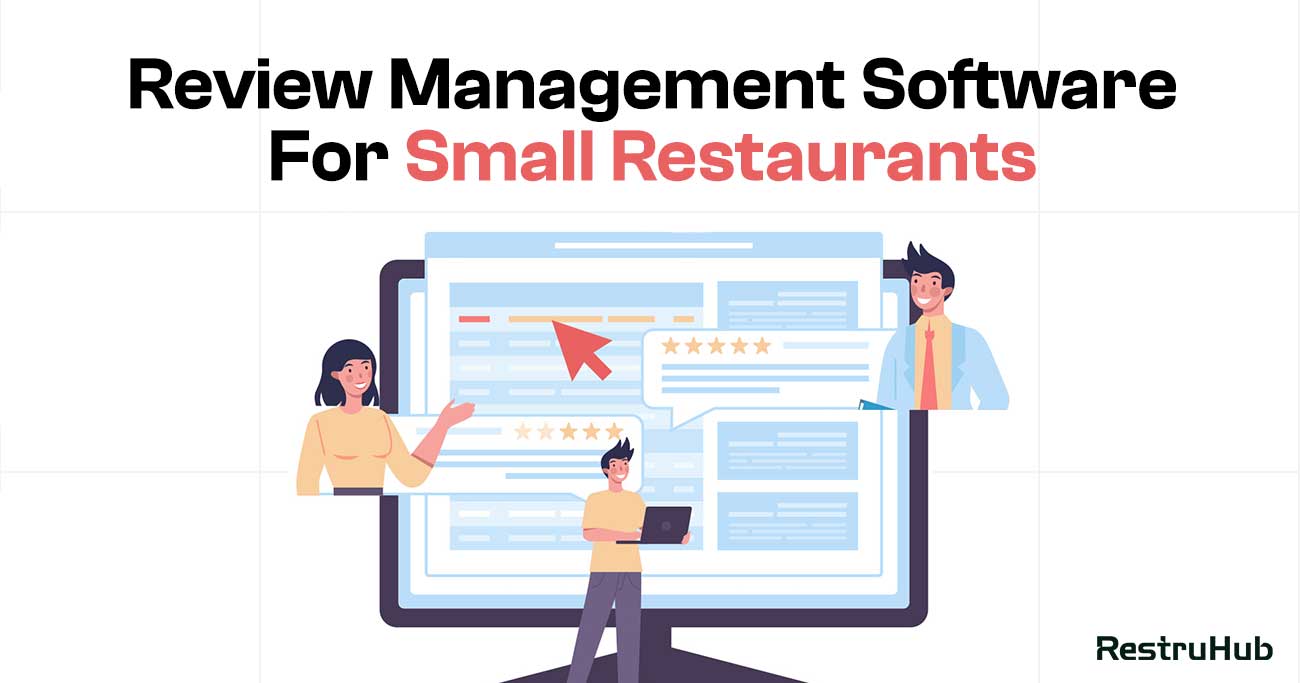
For small restaurants, online reviews can make or break daily foot traffic. A few negative Google reviews left unanswered can impact customer trust, while consistent engagement can strengthen local reputation. The challenge is that small restaurant owners often have limited staff, tight budgets, and very little time to manage reviews manually.
Review management software helps simplify this process by centralizing feedback, sending alerts for new reviews, and making it easier to respond quickly. The right tool should be affordable, easy to use, and practical for small teams. In this guide, we explore seven review management software options that are well-suited for small restaurants looking to protect their ratings and grow confidently.
Why Small Restaurants Struggle With Review Management
Small restaurants rely heavily on local reputation, yet managing online reviews often becomes a daily struggle. Limited resources, time constraints, and operational pressure make consistent review management difficult without structured systems in place.
Limited Staff and Time Constraints
Most small restaurants operate with lean teams. Owners and managers are directly involved in daily operations such as supervising staff, handling suppliers, and serving customers. Monitoring and responding to reviews often becomes a secondary task.
Without dedicated personnel, reviews can go unanswered for days. Delayed responses may signal neglect to potential customers and reduce trust in the restaurant’s service quality.
Lack of Structured Monitoring Systems
Many small restaurant owners manually check Google reviews whenever they remember. This reactive approach increases the risk of missing critical feedback, especially negative comments that require immediate attention.
Without centralized alerts or dashboards, tracking reviews consistently becomes difficult. Over time, this unstructured system weakens reputation control and reduces the ability to respond strategically.
Emotional Responses to Negative Feedback
For small restaurant owners, reviews can feel personal. When you are directly involved in daily operations, criticism can be harder to handle objectively.
This sometimes leads to defensive or emotional replies that may escalate situations publicly. Without guidance or structured templates, maintaining a calm and professional tone becomes challenging.
Difficulty Turning Feedback Into Improvements
Reviews often contain valuable insights about food quality, service speed, or cleanliness. However, small restaurants may not have tools to analyze patterns or categorize recurring complaints.
Without structured reporting, feedback remains scattered and unused. Missing these insights prevents operational improvements that could strengthen ratings and customer satisfaction over time.
These challenges explain why review management feels overwhelming for many small restaurants. With limited time, resources, and structured tools, maintaining consistent online engagement becomes difficult. The right review management software can simplify this process and provide much-needed organization and efficiency.
What Small Restaurants Actually Need (Not Enterprise Features)
Small restaurants do not need complex enterprise dashboards or expensive corporate-level analytics. What they need is practical, easy-to-use software that saves time, protects reputation, and fits within a limited budget.
Simple and Centralized Monitoring
Small restaurant owners need one clear dashboard where all Google reviews appear in real time. They should not have to log into multiple accounts or navigate complicated menus.
A simple interface that shows new reviews, ratings, and response status at a glance is enough. Clarity and accessibility matter far more than advanced enterprise reporting layers.
Fast Alerts for New Reviews
Speed is critical, especially when dealing with negative feedback. Small restaurants need instant notifications whenever a new review is posted.
Email or mobile alerts ensure owners can respond quickly without constantly checking their Google Business Profile manually. Immediate awareness prevents negative reviews from sitting unanswered.
AI Assistance That Saves Time
Small teams often struggle with writing thoughtful responses quickly. AI-generated draft replies can reduce effort while maintaining professionalism.
However, the tool should allow easy editing and personalization. Automation should support the owner, not replace authentic communication. Quick drafts combined with personal touch are ideal for small operators.
Clear and Actionable Insights
Small restaurants do not need complex enterprise analytics. Instead, they need simple summaries that highlight recurring issues.
For example, if multiple reviews mention slow service or portion size concerns, the system should surface that clearly. Actionable insights help owners improve operations without overwhelming them with unnecessary data.
Affordable and Scalable Pricing
Budget matters. Many enterprise platforms are priced for large chains, not single-location restaurants.
Small restaurants need transparent, affordable plans that grow with their business. The right tool should provide essential features without locking them into expensive contracts.
Ultimately, small restaurants need simplicity, speed, and affordability. Enterprise-level complexity can slow adoption and create confusion. The best review management software for small operators focuses on saving time, improving response quality, and turning feedback into manageable improvements without unnecessary features.
7 Review Management Software For Small Restaurants
Small restaurants need review tools that are simple, affordable, and practical. Instead of enterprise complexity, the right solution should save time, improve response speed, and protect local reputation without overwhelming daily operations.
1. RestruHub – Simple AI Review Manager for Growing Restaurants
RestruHub works well for small restaurants because it focuses on Google review management without adding unnecessary enterprise features. The dashboard centralizes reviews in one place, making it easy for owners to monitor feedback without switching between accounts. For small teams with limited time, this simplicity matters.
The platform also includes AI-powered reply suggestions tailored for hospitality tone. Owners can generate professional responses quickly and personalize them before posting. Smart alert prioritization ensures negative reviews are flagged first, helping restaurants respond before issues escalate. Response time tracking and basic sentiment insights provide useful performance visibility without overwhelming analytics.
Core Features
- Centralized Google review dashboard
- AI-assisted response drafts
- Smart negative-first alerts
- Response time tracking
- Sentiment insights by location
Pros
- Easy to use for small teams
- Hospitality-focused response tone
- Simplified multi-location visibility
- Faster reply workflows
Cons
- Fewer enterprise integrations
- Focused mainly on Google rather than all review platforms
2. Birdeye Reviews – Automation With Simplicity
For small restaurants that want stronger automation without managing multiple systems, Birdeye’s Reviews product offers a balance between functionality and usability. While Birdeye serves many industries, its review management tools are straightforward enough for small restaurant teams to use without heavy training.
The platform centralizes Google reviews into a single dashboard and allows owners to respond directly from within the system. One of its key advantages is automated review request campaigns, which can help small restaurants generate more positive Google reviews consistently. AI-assisted reply suggestions also reduce the time needed to craft responses.
Core Features
- Centralized Google review monitoring
- Automated review request campaigns
- AI-assisted response drafts
- Sentiment analysis
- Basic multi-location support
Pros
- Strong automation tools
- Helps increase review volume
- Clear and organized dashboard
Cons
- May feel feature-heavy for very small teams
- Pricing can increase with added features
3. ReviewTrackers – Clean Dashboard for Small Teams
ReviewTrackers focuses heavily on review monitoring and reporting. For small restaurant teams that value clarity and performance tracking, its clean dashboard makes review management easier to understand and control.
The platform aggregates Google reviews into one interface and provides keyword tracking to identify recurring issues. Small restaurants can monitor rating trends and response rates without dealing with complex enterprise systems.
Core Features
- Google review aggregation
- Keyword and sentiment tracking
- Response monitoring tools
- Multi-location dashboard
Pros
- Simple interface
- Strong reporting visibility
- Useful trend tracking
Cons
- Limited hospitality-specific AI features
- More analytics-focused than response-focused
4. Synup – Review + Listings in One Tool
For small restaurants that want to manage both reviews and business listings from one place, Synup offers a practical combination. It centralizes Google reviews while also helping maintain accurate business information such as hours, address, and contact details across directories.
This dual approach is helpful for small operators who do not want to manage separate tools for reputation and listings. The dashboard allows restaurants to monitor reviews, respond directly, and track sentiment trends. While it is not exclusively restaurant-focused, it provides enough functionality for small teams looking for efficiency without enterprise complexity.
Core Features
- Google review monitoring and responses
- Listings management across directories
- Sentiment tracking
- Multi-location dashboard
Pros
- Combines reviews and listings
- Simple centralized interface
- Supports small multi-location setups
Cons
- Less hospitality-focused AI
- Fewer advanced review response tools
5. Podium Reviews – Messaging + Reviews Combined
Podium approaches review management through customer communication. Instead of focusing only on monitoring, it combines messaging and review generation into one system.
Small restaurants can send text-based review requests to customers, encouraging more positive Google reviews. The platform also allows review monitoring and responses from within the same interface. This messaging-first approach can help small restaurants increase review volume while staying connected with guests.
Core Features
- Google review monitoring
- SMS-based review requests
- Centralized messaging inbox
- Basic performance tracking
Pros
- Strong review generation support
- Easy customer communication
- Simple workflow
Cons
- More messaging-focused than review-analytics-focused
- May not offer deep sentiment insights
6. BrightLocal – Budget-Friendly Reputation Monitoring
BrightLocal is often chosen by small businesses looking for affordable reputation monitoring without enterprise pricing. While it is widely known for local SEO tools, its reputation management features allow small restaurants to track Google reviews and monitor rating trends from a centralized dashboard.
The interface is straightforward and focused on visibility rather than automation. Restaurants can see review performance, monitor new feedback, and track overall rating changes over time. For small teams that primarily want monitoring and reporting without advanced AI features, BrightLocal provides a cost-effective option.
Core Features
- Google review monitoring
- Reputation tracking dashboard
- Local SEO integration
- Basic performance reporting
Pros
- Budget-friendly
- Simple and easy to use
- Combines SEO and review monitoring
Cons
- Limited AI response assistance
- More monitoring-focused than response-focused
7. Ovation – Guest Feedback + Review Support
Ovation takes a preventative approach to review management by focusing on real-time guest feedback. Instead of only reacting to public Google reviews, small restaurants can collect private feedback and resolve issues before they turn into negative ratings.
The platform also supports review monitoring and multi-location reporting. Its service recovery workflows help restaurants respond proactively to customer concerns. For small restaurants that want to improve guest satisfaction while managing online reputation, Ovation offers a balanced solution.
Core Features
- Real-time guest feedback collection
- Google review monitoring
- Service recovery workflows
- Multi-location reporting
Pros
- Strong focus on preventing negative reviews
- Useful for improving service quality
- Restaurant-oriented features
Cons
- More feedback-driven than pure review scaling
- May require workflow adjustments for small teams
Quick Comparison: Pricing, Ease of Use, AI, Multi-Location Support
Choosing the right review management software for a small restaurant often comes down to four key factors: cost, simplicity, automation, and scalability. Below is a more detailed breakdown to help clarify differences.
| Tool | Pricing Level | Ease of Use | AI Reply Support | Multi-Location Support |
| RestruHub | Moderate, restaurant-focused plans | Clean, focused dashboard | Yes, hospitality-tailored suggestions | Yes, centralized control |
| Birdeye Reviews | Moderate to High | Feature-rich interface | Yes, AI-assisted responses | Yes, strong support |
| ReviewTrackers | Moderate | Structured and reporting-focused | Limited AI | Yes, multi-location dashboard |
| Synup | Moderate | Straightforward and practical | Basic automation | Yes, with listings integration |
| Podium Reviews | Moderate | Simple messaging-first workflow | Basic AI drafts | Yes, scalable plans |
| BrightLocal | Budget-friendly | Very simple | No advanced AI | Basic multi-location support |
| Ovation | Moderate | Restaurant-oriented | Limited AI | Yes, multi-location reporting |
Pricing
BrightLocal stands out as the most budget-friendly option for small restaurants focused mainly on monitoring. Birdeye may be more expensive due to automation and additional features. RestruHub, Synup, Podium, and Ovation generally fall into the mid-range category depending on plan selection.
Ease of Use
BrightLocal and RestruHub offer simpler interfaces suited for small teams. Birdeye can feel more feature-heavy. ReviewTrackers emphasizes reporting clarity, while Podium focuses on messaging simplicity.
AI Capabilities
RestruHub and Birdeye provide stronger AI response assistance. Synup and Podium offer basic automation. BrightLocal focuses primarily on monitoring rather than AI-driven replies.
Multi-Location Support
All tools support multi-location setups to some degree, but RestruHub, Birdeye, and ReviewTrackers offer more structured centralized dashboards suitable for growing restaurant brands.
Which Tool Is Best Based on Budget and Team Size
The best review management tool for a small restaurant depends largely on budget and internal team capacity. Not every restaurant needs advanced automation or enterprise-level analytics. The key is matching the tool to your operational reality.
For single-location restaurants with tight budgets and limited staff, BrightLocal offers a cost-effective way to monitor Google reviews without complexity. It focuses on visibility and basic reporting, making it suitable for owners who mainly want oversight.
If your team wants automation support but still values simplicity, RestruHub provides a balanced option. It offers AI-assisted replies and smart alerts without overwhelming features, making it ideal for small but growing restaurants.
For restaurants focused on generating more reviews through customer messaging, Podium may be a strong fit. Meanwhile, businesses that want deeper analytics and structured reporting might lean toward ReviewTrackers.
Ultimately, the best tool aligns with your team size, available time, and growth plans. Small teams should prioritize ease of use and automation support over feature-heavy enterprise systems.
When Should a Small Restaurant Upgrade to a Larger Platform
Small restaurants often begin with simple review monitoring tools. However, as the business grows, reputation management becomes more complex. Knowing when to upgrade to a larger platform can prevent operational bottlenecks and protect brand consistency.
When Review Volume Becomes Difficult to Manage
If your restaurant starts receiving a high volume of Google reviews each week, manual responses or basic tools may no longer be efficient. Delayed replies and missed feedback can begin to impact ratings.
An upgrade becomes necessary when response time slows down consistently or when tracking performance manually becomes overwhelming.
When Expanding to Multiple Locations
Growth into a second or third location significantly increases complexity. Each branch will have its own Google Business Profile and unique review trends.
At this stage, centralized dashboards, performance tracking by location, and structured alert systems become essential. Larger platforms offer stronger multi-location control that smaller tools may not fully support.
When Brand Consistency Becomes a Priority
As a restaurant gains recognition, brand voice and communication standards matter more. Inconsistent responses across locations or managers can weaken public perception.
Upgrading to a platform with structured response templates, AI assistance, and oversight tools helps maintain consistency while scaling operations.
When Data and Insights Drive Decisions
If leadership begins using review data to guide operational improvements, more advanced sentiment analysis and reporting features may be required.
Larger platforms provide categorized feedback insights and performance tracking that go beyond simple monitoring. When reviews shift from reactive communication to strategic decision-making, upgrading becomes a logical next step.
Recognizing these growth signals early ensures small restaurants scale smoothly without compromising reputation or customer trust.
Final Thoughts
For small restaurants, managing Google reviews does not have to be complicated. The right software should simplify monitoring, speed up responses, and protect your local reputation without adding operational stress. Budget, ease of use, and automation support are often more important than enterprise-level features.
As your restaurant grows, your review management needs will evolve. What works for a single location today may need to scale tomorrow. Choosing a flexible platform ensures you can adapt without disrupting daily operations.
Ultimately, consistent engagement with customer feedback builds trust, improves ratings, and strengthens long-term growth. With the right review management tool in place, small restaurants can compete confidently in an increasingly review-driven market.
FAQs
Do small restaurants really need review management software?
Yes, even small restaurants benefit from structured review management. With limited staff and time, it becomes difficult to monitor Google reviews consistently. Software helps centralize feedback, send alerts for new reviews, and maintain faster response times without adding extra workload.
What is the most important feature for small restaurant owners?
Ease of use is usually the most important factor. Small restaurant owners need a simple dashboard, quick alerts for new reviews, and basic AI assistance to draft responses. Complex enterprise analytics are often unnecessary at this stage.
Can review management software help increase positive reviews?
Many tools offer review request features that encourage satisfied customers to leave feedback. By consistently asking for reviews and responding professionally, small restaurants can improve overall ratings and build stronger online credibility.
How quickly should small restaurants respond to reviews?
Negative reviews should ideally be addressed within 24 hours. Positive reviews can be responded to within one to two days. Quick engagement shows attentiveness and builds customer trust.
Is multi-location support important for small restaurants?
For single-location restaurants, it may not be critical. However, if expansion is planned, choosing software that supports multi-location management can make future growth easier and more organized.
Want to Grow Your Reviews?
Learn how Restuhub helps 500+ businesses automate their Google reviews.
Free Consultation